Radiology information system (RIS)
Coordinate orders, appointments, check-in and exam worklists in the clinical workflow.
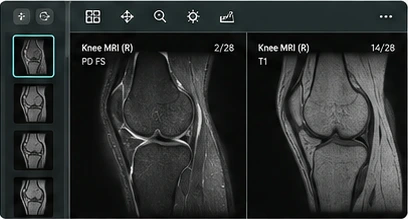
HealthOptix RIS and PACS connect orders, scheduling, worklists, imaging storage and browser-based viewing. Explore cloud or on-site PACS deployment for your practice.
Coordinate orders, appointments, check-in and exam worklists in the clinical workflow.
Store and retrieve medical imaging studies and support browser-based review.
Move from the imaging worklist into reporting with the clinical context available to the radiologist.
Discuss hosted storage, network performance, access, study retrieval and backup requirements.
Evaluate local infrastructure, maintenance, remote access and disaster recovery.
Inventory modalities, prior studies and interfaces; validate identifiers and retrieval before cutover.
Ask about supported modalities, priors, viewer tools and diagnostic-use requirements.
Confirm DICOM workflows and required HL7 interfaces with your existing systems.
Review export formats, migration volume and retention requirements.
Explore our full FAQ or contact us.
A RIS manages radiology operations including orders, scheduling and worklists. PACS stores, retrieves and displays medical imaging studies.
The platform offers both deployment approaches. The appropriate configuration depends on the practice and its infrastructure.
Modality interfaces are assessed during implementation; compatibility and configuration must be confirmed for each device.
A phased deployment can be evaluated. Confirm interface support and reporting workflow compatibility during discovery.
Many centers start with patient access alongside their current systems. Request a demo and we’ll show you how it would work at your center.